![SciNote_logo_color_2023.png]](https://knowledgebase.scinote.net/hs-fs/hubfs/SciNote_logo_color_2023.png?height=40&name=SciNote_logo_color_2023.png)
How to Sort Your Experiments in SciNote
- Navigate to your Experiments page from the main dashboard.
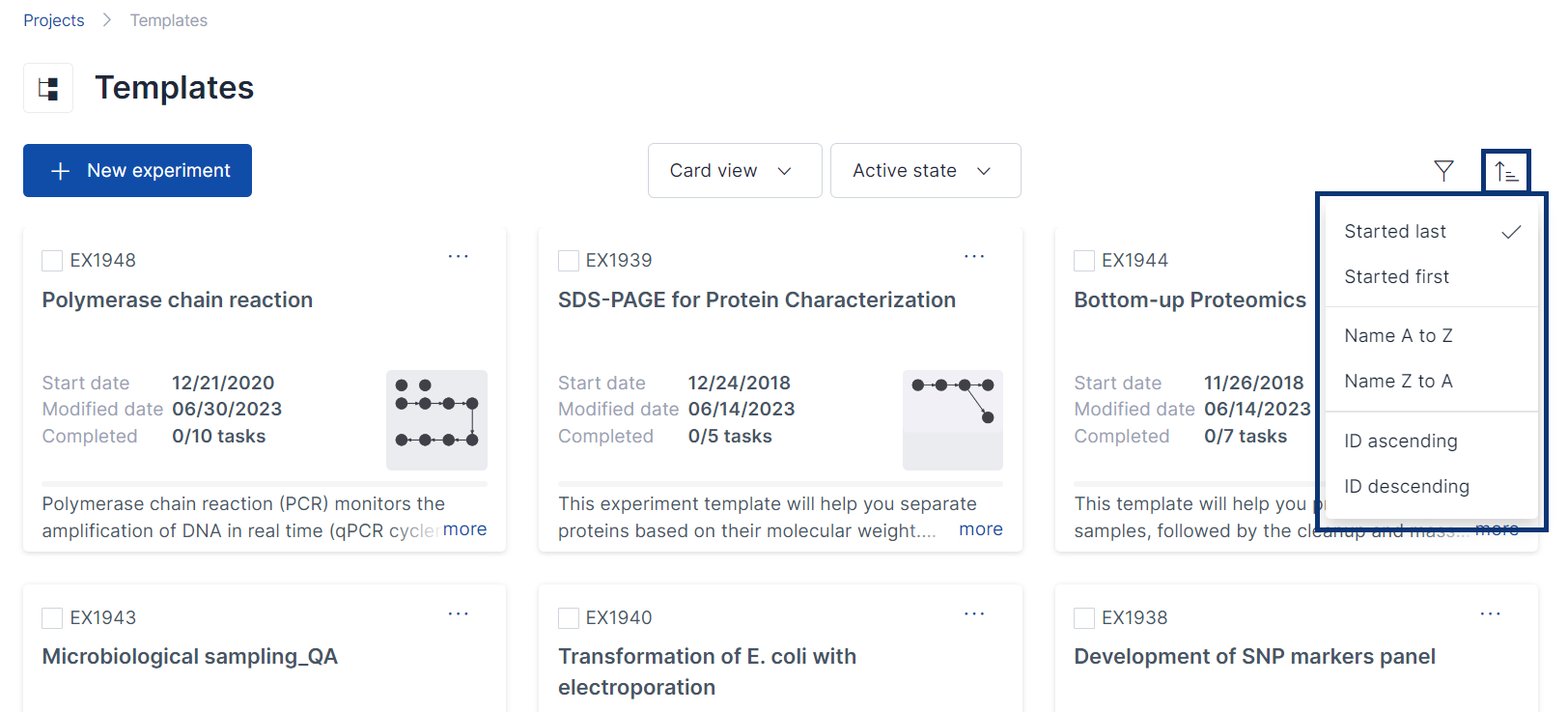
- Click the Sort button in the top-right corner of the experiments list.
- Select your preferred sort order from the following options:
- Newest first
- Oldest first
- From A to Z
- From Z to A
- Experiment ID ascending
- Experiment ID descending
If you have any additional questions, please contact us at support@scinote.net. For more information about the Premium plans, please request a quote.