![SciNote_logo_color_2023.png]](https://knowledgebase.scinote.net/hs-fs/hubfs/SciNote_logo_color_2023.png?height=40&name=SciNote_logo_color_2023.png)
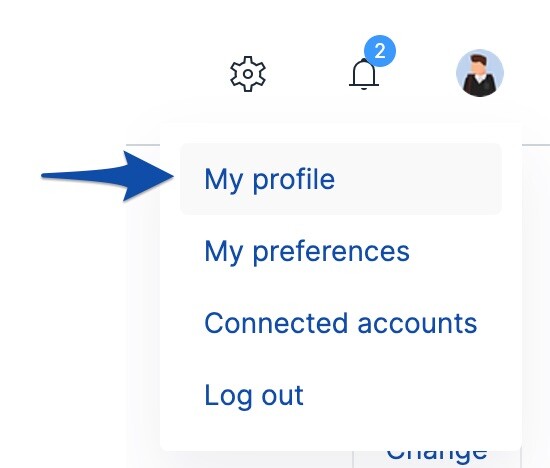
- First, navigate to the My Profile page using the gear icon (Settings) in the upper right corner of the SciNote site.
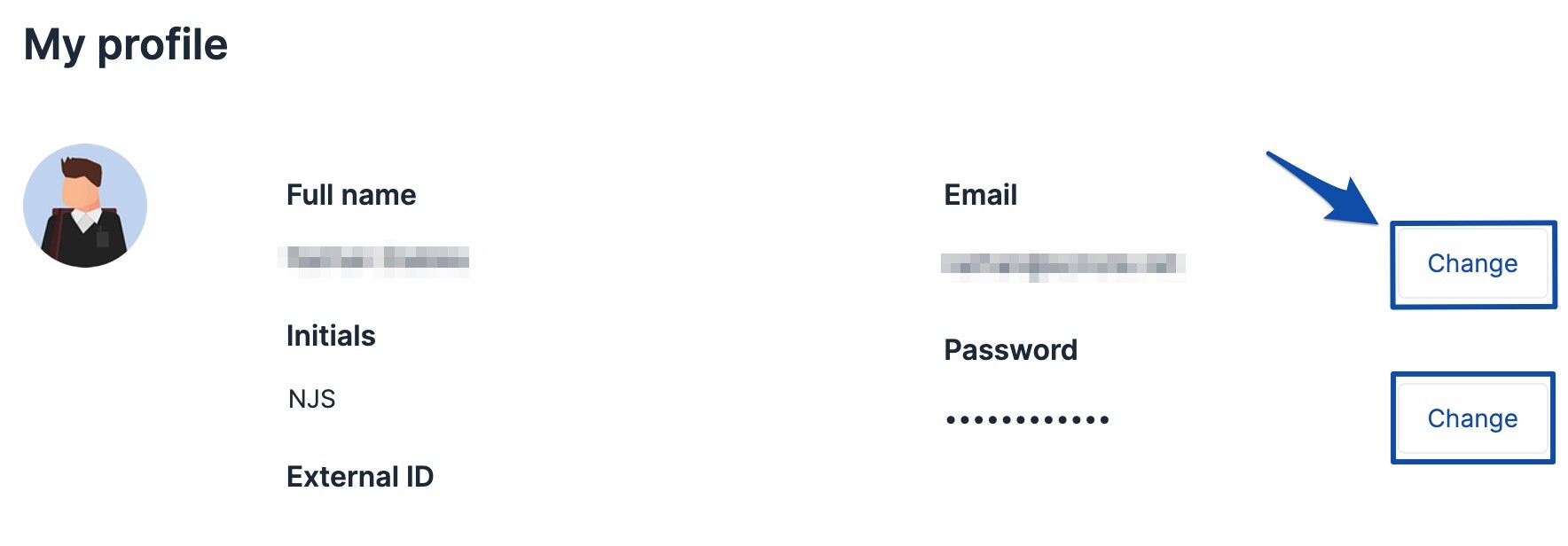
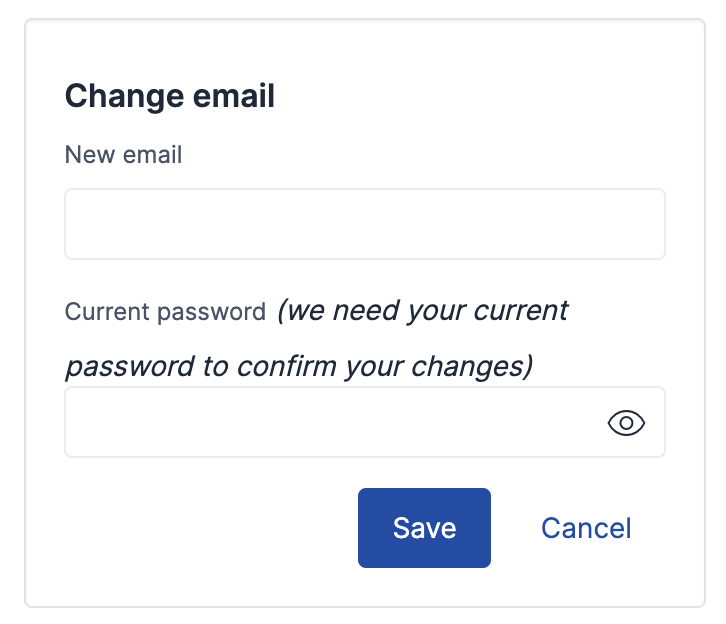
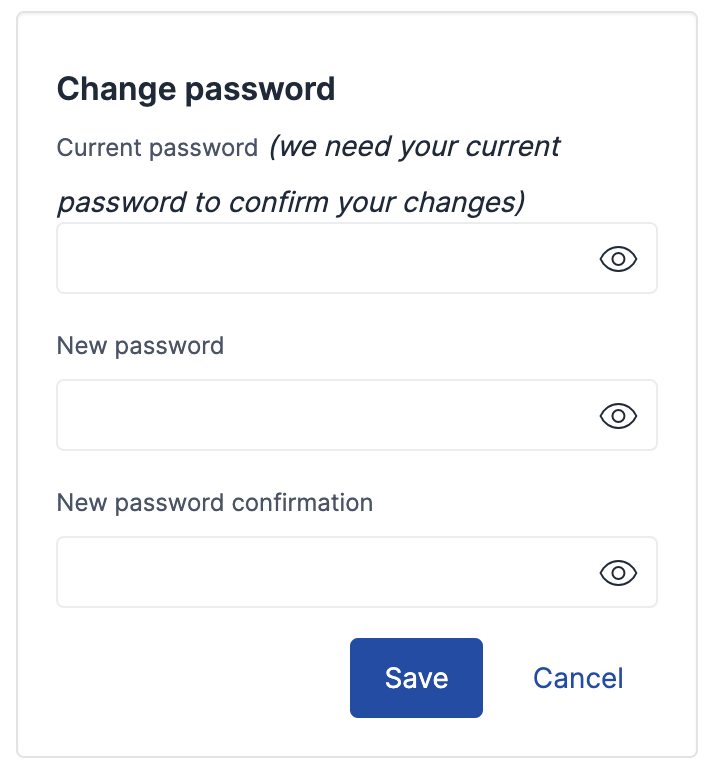
- In the top section, you can update the Email or Password associated with your SciNote account by clicking Change.
- Follow the prompts and click Save to finalize your updated email and/or password.
If your organization uses Single Sign-On (SSO) for authentication, this process may differ. Some organizations disable email/password login when SSO is enabled. If you need to update your email or password in this case, please contact support@scinote.net.
If you have any additional questions, please contact us at support@scinote.net. For more information about our Premium plans, request a quote.