![SciNote_logo_color_2023.png]](https://knowledgebase.scinote.net/hs-fs/hubfs/SciNote_logo_color_2023.png?height=40&name=SciNote_logo_color_2023.png)
Decimal formatting in Task tables is controlled from the table toolbar, while Inventory precision is set when you configure a Number-type column. Choose the section that matches where your data lives.
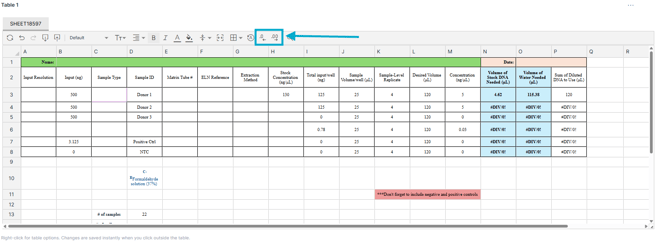
To set decimal places in a table within a Task:
- Enter your numeric value in the table cell.
- Select the cell (or cells) you want to format.
- Use the formatting options in the table toolbar to increase or decrease the number of decimal places displayed.
- Adjust until the values show the appropriate level of precision for your calculations or reporting needs.
To set decimal places in an Inventory table:
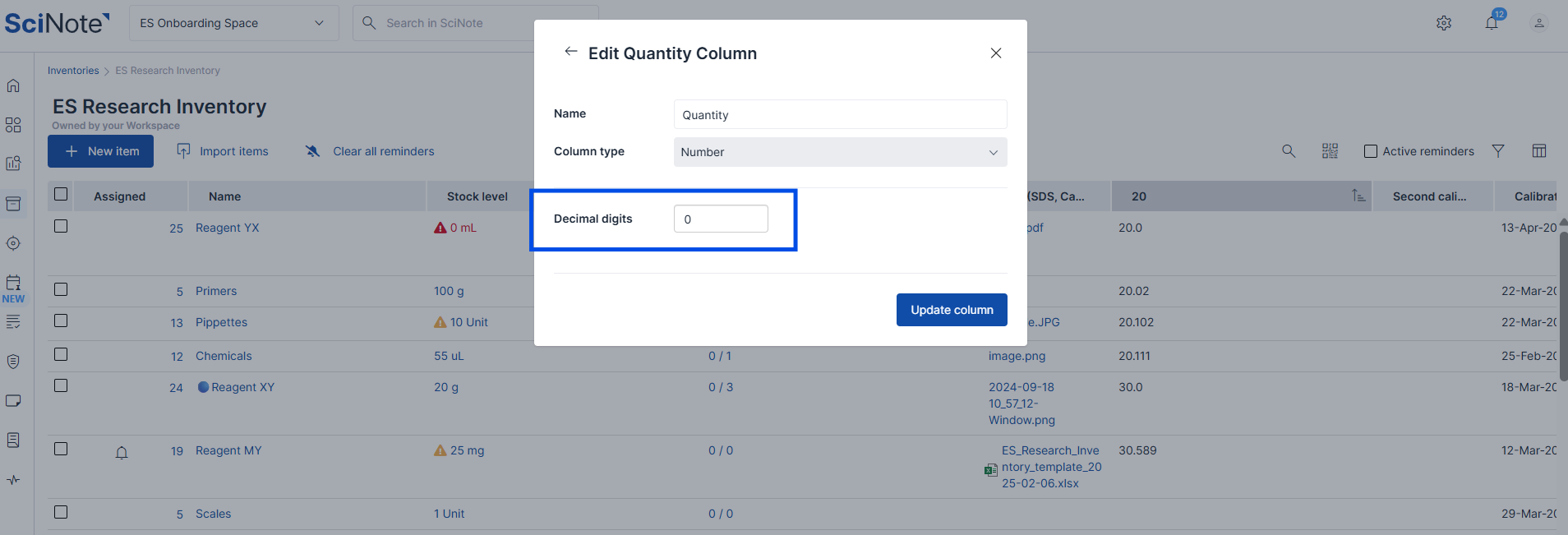
- Add a Number-type column to your inventory using the column widget.
- In the Decimal digits field, enter the desired number of decimals.
- Save the column. Values entered in that column will display with the number of decimal places you set.
To learn more about setting up inventory columns, see How To Create Custom Inventory Columns and How to Edit Inventory Columns.
For more on working with tables, see What Can I do with SciNote Tables?
If you have any additional questions, please do not hesitate to contact us at support@scinote.net. For more info about the Premium plans, request a quote.