![SciNote_logo_color_2023.png]](https://knowledgebase.scinote.net/hs-fs/hubfs/SciNote_logo_color_2023.png?height=40&name=SciNote_logo_color_2023.png)
There may be instances where an error is returned due to tables not being fully updated when linking different tables.

How do I use the Restore Formulas button?
- Open the SciNote table that is displaying the formula error.
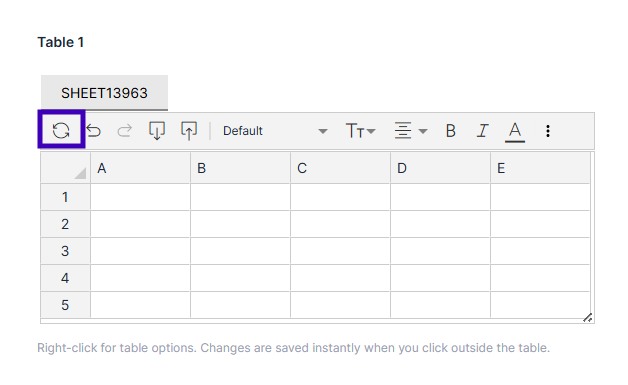
- Locate the Restore Formulas button in the toolbar above the table (shown below).
- Click Restore Formulas to refresh all formulas and correct the errors.
For full details on using math operations and formulas in SciNote tables, see How to use math operations and formulas in SciNote tables.
If you have any additional questions, contact us at support@scinote.net. For more information about the Premium plans, please request a quote.